
BAY888 Deposit and Withdrawal Guide for Philippine Users
At BAY888, we know that a payment page can feel confusing when you are new: there are several fields, different transaction statuses, promo options, and security checks before a withdrawal is completed. This guide explains the proper flow from our side so you can review your details first, send one clear request, and know what to do if a transaction remains pending.
This guide is for readers who reach the BAY888 information page through 8k8play.ph. Always check the current Member Center and Cashier page before using any payment details. Do not rely on an old screenshot, a copied account number, or a message from an unofficial social-media account.
Quick answer: use your own registered details, create only one transaction request at a time, save the receipt/reference number, then check Transaction History before submitting another request.
Start in the BAY888 Member Center
The Member Center is where you manage the account linked to your transactions. Before opening Cashier, make sure the basic profile information is correct. A wrong mobile number, incomplete name, or inaccessible email can make it harder to receive a verification code or ask Support to locate a transaction.
For Philippine users, a clean payment flow is:
Register → confirm account information → open Cashier → choose Deposit or Withdrawal → review instructions → submit once → check Transaction History.
Do not rush straight to the payment button after creating an account. Take a minute to understand what each section does.
| BAY888 section | What it is for |
| Profile | Account name, mobile number, email, password and security settings |
| Cashier | Deposit and withdrawal options, instructions and request fields |
| Transaction History | Deposit, withdrawal, promotion and request-status records |
| Promo Center | Current offers, eligibility and turnover conditions |
| Support Desk | Questions about a pending request, account access or platform process |
| Responsible Play | Limits, breaks and account-control options where available |
Registration details to check before a transaction
Your payment request should match the information in your BAY888 account. This is the simplest way to avoid delays caused by mismatched data.
When completing the registration form, review these fields carefully:
| Form field | What to enter |
| Username | A name you can recognize later; do not share it publicly |
| Password | A unique password, not reused from email or social accounts |
| Mobile number | Your active number for receiving verification messages |
| Email address | An email you can access if you need account recovery |
| Full name | Use the same real information required by the current account process |
| Date of birth | Only provide accurate information; BAY888 is for adults only |
| Referral or promo code | Optional; enter it only if you received it from an official current source |
After registration, log in and review the Profile section before your first deposit. Kung may mali sa number or email, fix it before you create a payment request. It is much easier to correct account information before money is involved.
How to make a BAY888 deposit
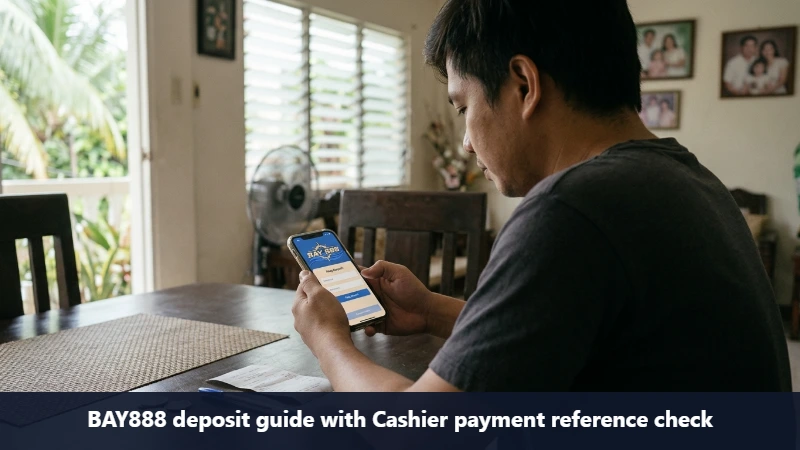
A deposit request should be simple: choose the available payment channel shown inside Cashier, read the displayed instructions, send the correct amount, and keep your proof of payment until the status is updated.
Payment methods, minimums, maximums, processing times, and availability can change. For that reason, the Cashier page inside your logged-in account is the source to check before every deposit.
Deposit steps
- Log in to your BAY888 account.
- Open Member Center, then choose Cashier.
- Select Deposit.
- Review the payment method currently shown for your account.
- Enter the amount you want to deposit.
- Read the payment instruction before transferring any funds.
- Complete the payment only to the details displayed in the current Cashier session.
- Copy or save the transaction reference, receipt, and time of payment.
- Return to Transaction History and check the request status.
If the page asks for a reference number, type it exactly as it appears on your receipt. Do not guess, shorten, or reuse a reference from an old transaction.
What to save after paying
Keep these details until the transaction is confirmed:
- Payment method used
- Amount sent
- Date and exact time
- Transaction/reference number
- Screenshot or receipt
- BAY888 account username
- Any request ID shown in Cashier
This information helps the Support Desk trace the correct transaction if you need help later. It also prevents confusion when multiple payments are made close together.
Common deposit mistakes to avoid
The most common issue is sending money before checking the latest Cashier instructions. Payment details may change, so always open the current page after logging in.
Avoid these mistakes:
- Sending to a payment account copied from an old chat or screenshot
- Making two deposits while the first one is still pending
- Entering a wrong payment amount
- Submitting a reference number that does not match the receipt
- Using another person’s payment account without checking the current platform rules
- Claiming a promotion before reading its turnover and expiry conditions
- Sharing your receipt publicly, especially if it shows personal information
If your payment has not appeared yet, do not immediately create a duplicate request. First open Transaction History and confirm whether the original request is pending, successful, rejected, or needs more information.
How to request a BAY888 withdrawal
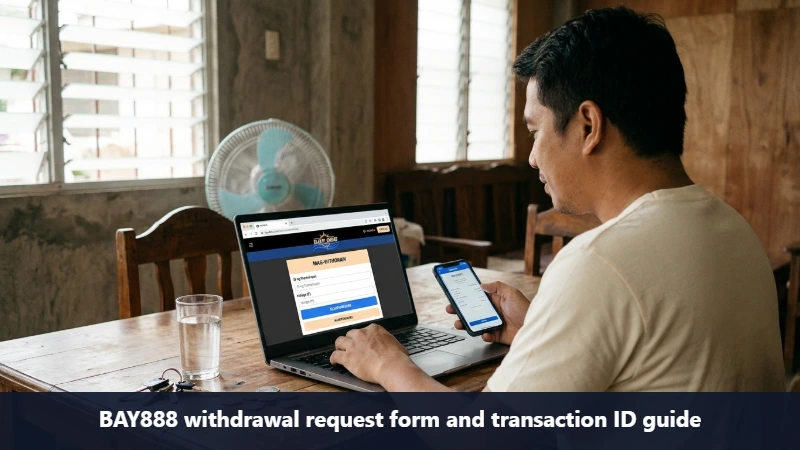
A withdrawal is not just a “cash out” button. It is a request that needs correct account details, a completed game or promotion review where applicable, and a matching payment destination under the current platform process.
Before requesting a withdrawal, check:
- Your available balance, not only your total displayed balance
- Any active bonus or promotion attached to the balance
- Turnover or wagering conditions shown in Promo Center
- The withdrawal method and destination details
- The minimum and maximum amount shown in Cashier
- Whether your account needs a security or identity check
Withdrawal steps
- Open Cashier from the BAY888 Member Center.
- Select Withdrawal.
- Choose an available method shown for your account.
- Enter the withdrawal amount carefully.
- Review the destination account or wallet details one more time.
- Check whether an active promotion has conditions that affect the request.
- Submit one request.
- Open Transaction History and save the withdrawal request ID.
- Wait for the status to update before submitting another request.
If you have a question about the status, send Support the request ID, amount, time submitted, and a short description. This is more useful than sending only “pending po” because it lets the team locate the right record faster.
Understand Transaction History before contacting Support
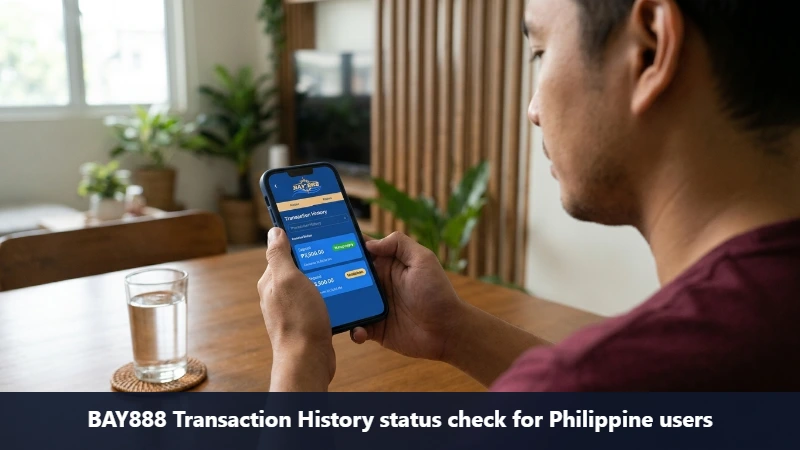
Transaction History is the first place to check when something does not look right. Each request may show a status such as pending, successful, rejected, cancelled, or under review. The exact wording may differ, but the key is to read the request record before taking another action.
| Status | What it usually means | What you should do |
| Pending | The request is still being processed or reviewed | Wait and avoid duplicate submissions |
| Successful | The platform has completed the recorded request | Check your receiving account or wallet details |
| Rejected | The request could not be completed under the current conditions | Read the stated reason, then correct the issue if possible |
| Cancelled | The request was stopped before completion | Check whether you or the system cancelled it, then submit a new request only if needed |
| Under review | Additional checking may be required | Keep your receipt/request ID ready and contact Support if instructed |
Do not delete your receipt right after a request appears in the list. Keep it until the final result is clear.
Promotions: read the terms before opting in
Promotions can add value, but they can also change the conditions attached to your balance. BAY888 users should open Promo Center and read the current terms before joining any offer.
Check these points:
- Who can join the offer
- Deposit requirement, if any
- Bonus amount or calculation method
- Turnover or wagering requirement
- Eligible games or categories
- Expiry date
- Maximum withdrawal conditions, if stated
- Whether the promotion can be cancelled before use
Real talk: a bonus is not automatically “free cash.” If a promotion has turnover conditions, understand them before you start playing. Kung hindi malinaw ang rule, ask Support before opting in—not after you have submitted a withdrawal.
Choose games with a clear budget
The Game Lobby may include categories such as slots, table games, live games, sports content, or other entertainment options depending on what is currently available. Game availability, rules, payout mechanics, and risk level vary by product.
BAY888 does not treat a game as an income plan. Play only with money you are prepared to lose, and set a budget before opening a game.
A practical session routine:
- Set a fixed entertainment budget.
- Check the game rules before starting.
- Do not chase a loss with a larger bet.
- Take a break when you feel frustrated or rushed.
- Review your balance and Transaction History after the session.
- Use Responsible Play options or contact Support if you need account-control help.
For games that show RTP or return-to-player information, remember that RTP is a long-term mathematical measure, not a promise for one session. Short results can be very different from the theoretical figure.
Account safety: protect the login and payment process
Your BAY888 account should stay private. Support should not ask you to reveal your password, and you should not share your OTP, login details, or full payment information in a public group.
Use these safety habits:
- Create a unique password for BAY888
- Do not give your OTP to another person
- Avoid logging in on a shared public device
- Log out after using a borrowed device
- Check the URL before entering your username and password
- Use only the current Cashier details visible after login
- Keep payment receipts private
- Contact Support through the official in-platform channel when unsure
If you receive a message saying that you must send money urgently to “unlock” an account, stop and verify it from inside the Member Center first. Urgency is often used to pressure users into skipping normal safety checks.
When to contact the BAY888 Support Desk
Contact Support when you have checked Transaction History and still need help with a specific issue. Give clear details so the request can be reviewed properly.
Use this support-ticket format:
| Support field | What to provide |
| Subject | Deposit pending, withdrawal question, account access, or promo query |
| Username | Your BAY888 account username |
| Request ID | The ID shown in Transaction History |
| Amount | Exact amount involved |
| Date and time | When the request was created or payment was sent |
| Payment reference | Your receipt or reference number, if relevant |
| Description | A short, factual explanation of the issue |
| Attachment | Receipt or screenshot with sensitive details protected where possible |
Example: “Deposit pending. Username: [username]. Amount: [amount]. Sent at [time/date]. Reference: [reference]. The request is still marked pending in Transaction History.”
That format is faster and clearer than sending several incomplete messages.
FAQs about BAY888 deposits and withdrawals
1. Why is my BAY888 deposit still pending?
Check Transaction History first. A pending request may still be processing, may require a matching reference number, or may need review based on the current payment process. Do not create another request until you confirm the first one’s status.
2. Can I use an old payment screenshot?
No. Always use the payment information shown inside the current Cashier page after you log in. Old screenshots can be outdated.
3. Why can’t I withdraw my full balance?
Check the available balance, active promotion terms, current withdrawal limits, and any required account review. The exact reason should be checked through Cashier, Promo Center, or Support.
4. What should I send to Support for a payment issue?
Send your username, request ID, amount, time, payment reference, and a clear receipt. Never send your password or OTP.
5. Can I submit more than one withdrawal request?
Follow the current limits and instructions shown in Cashier. If an existing request is pending, check its status before creating another one.
6. Is BAY888 for users under 18?
No. BAY888 content and account access are intended for adults only. Users should follow applicable local laws and play responsibly.
Final reminder for Philippine users
The best BAY888 payment habit is simple: verify first, submit once, save the receipt, then check Transaction History. Take time to read current Cashier instructions and promotion conditions before depositing or requesting a withdrawal.
If you return via 8k8play.ph, repeat the same safety check: confirm the current BAY888 page, log in through the Member Center, and use only the payment details displayed in that active session.